Plan the whole driving position
A wheel needs more than a free USB port. The base must be securely mounted, the pedals need something to resist their movement, and your seat must stay in a usable position when you brake. A wheel that fits the budget can still be awkward if the desk edge or floor arrangement does not suit it.
Measure the available space and inspect the manufacturer’s clamp requirements. Check desk thickness, the shape of the underside and any drawer or support that could obstruct the clamp. Do not improvise a mount that cannot withstand the force produced by the base. A dedicated stand has its own footprint and storage requirements.
Compatibility is a chain
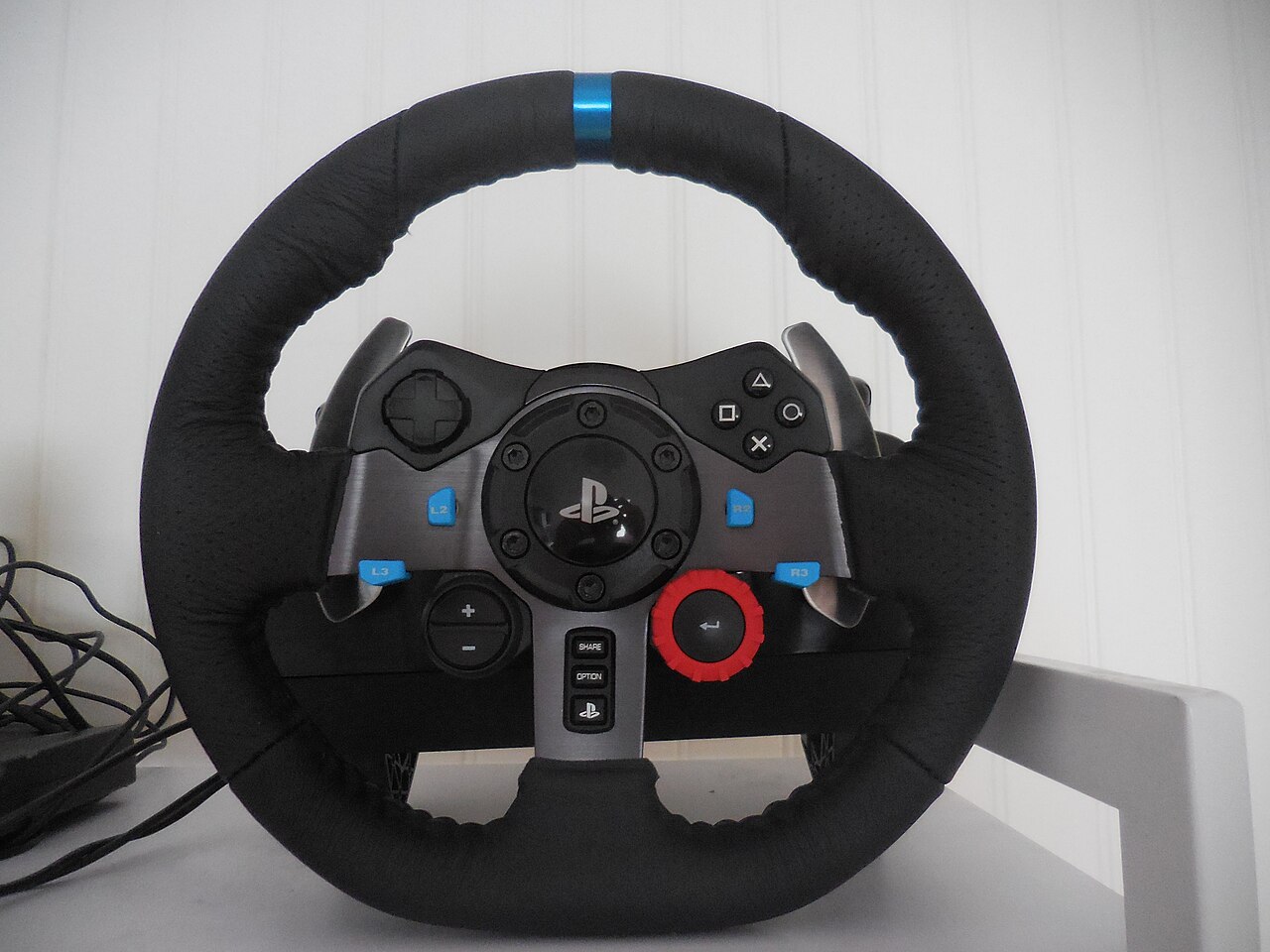
Confirm the exact platform edition of the wheel, then check the game’s support list. Similar-looking versions may support different consoles. Pedals, shifters and handbrakes may connect through the wheelbase, a separate adapter or directly to a PC, with different possibilities on console.
Logitech’s own documentation illustrates why model-specific checking matters: its racing adapter provides particular combinations rather than making every accessory universally interchangeable. Read the compatibility table for the whole proposed setup. Include the price and availability of required cables or adapters before treating a bundle as complete.
On a PC, a supported game may still require controls to be assigned manually or a documented compatibility mode. Save a working profile once steering, throttle, brake and menus behave correctly. Avoid changing several software layers while trying to diagnose one axis.
Start with manageable feedback
Force feedback can communicate changes in the simulated car and road, but a larger advertised torque figure is not a requirement for learning. Follow the manufacturer’s safety and setup instructions, begin with conservative settings and keep hands clear during any automatic calibration movement.
Distinguish the game’s feedback strength from steering rotation and sensitivity. These controls affect different things. A wheel that turns too little for an in-game corner may need correct rotation matching rather than more force. Likewise, a heavy feeling does not prove that the feedback is conveying more useful detail.
Make the pedals usable
Check whether the pedal set slides or tips when you apply the brake. A firmer pedal can require a more secure mounting arrangement. If your chair rolls backward, solve that safely rather than compensating by stretching your legs or gripping the wheel harder.
Allow room for cables without placing them under wheels, hinges or moving pedals. If other people use the space, plan how the equipment will be disconnected and stored. A setup that is easy to put away is more likely to remain usable than one that blocks the room.
Test a familiar car and circuit with a simple baseline. Learn the pedal travel and steering range before adding accessories. Keep the original settings recorded so a later experiment with force, damping or sensitivity can be reversed without rebuilding the entire setup.