Start at the game’s supported mod channel
Use the developer's guidance to find the supported mod platform or installation method. A search result using the game's name is not proof that a download is legitimate. Follow the mod author's established project page and read the description, recent updates and installation instructions. Be cautious about a download that unexpectedly requires unrelated software, account credentials or an executable with no explanation.
Check what the mod actually changes. A texture replacement, a script extension and a complete gameplay overhaul have different requirements and failure modes. A popular item is not automatically compatible with your installation, and a familiar author can still release an update that needs a different game version.
Match all the versions
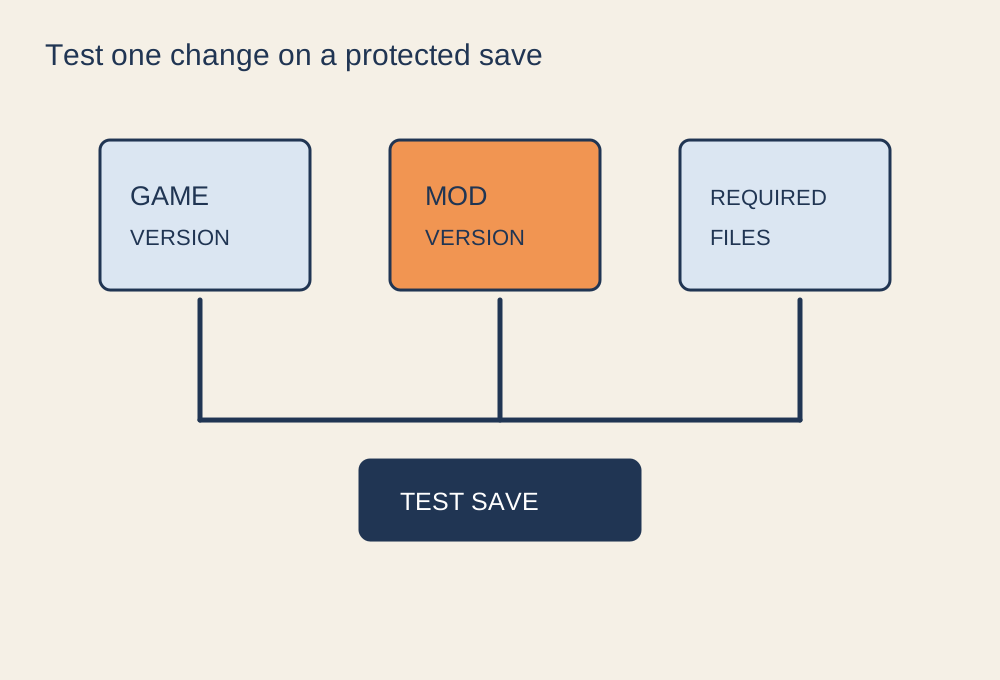
Record your game version, platform and relevant expansion content. Check the mod's supported versions and required dependencies. A mod may depend on another framework or a particular DLC, and installing the visible main file without those requirements can fail. Steam Workshop can expose version and dependency information where authors and games support it, but you still need to read the item's instructions.
Review known conflicts and the required load order. Two mods that alter the same system may not work together even if each works alone. Do not assume that moving one to the top of a list resolves every conflict. For a first attempt, choose a small, clearly documented change rather than installing a large collection whose interactions you cannot yet identify.
Protect the original state
Find the game's documented save and backup process. Preserve a clean save where supported and note the current mod list. Cloud synchronisation should not be your only recovery plan because it may synchronise a changed or broken save as well. Keep backups separate from the live location and do not overwrite the only copy while testing.
Read the uninstall instructions before installation. Some changes can be removed cleanly; others leave data in a save or require returning to a pre-mod checkpoint. Knowing that distinction beforehand helps you decide whether to use a separate test character or world. If the instructions say the mod should not be removed during an ongoing save, treat that as part of the commitment.
Install one change and test it
Close the game before modifying files unless the official tool explicitly works differently. Follow the supported manager or manual installation process exactly. Keep track of files you add or replace so that troubleshooting does not become a search through unknown folders. Do not grant unnecessary privileges merely to get past an unexplained installer error.
Launch a test save and visit the feature the mod changes. Check menus, loading and a short play sequence. Then close and reopen the game to confirm that the setup persists. Adding one change at a time lets you connect a new problem to a specific modification. A successful launch alone does not prove a complex overhaul works throughout the game.
Keep useful evidence when a test fails
If the game crashes or an expected feature is missing, write down the last change, the game version and the exact error. Check the mod's documented troubleshooting steps and known issues before reinstalling everything. Where logs are requested, review them for personal paths or account information before sharing them publicly. A clear report about one mod on a known version is more useful to its author than a claim that a large collection does not work. Restore the clean test state if the instructions require it, then confirm the unmodified game still runs.
Consider multiplayer and updates
Check the game's rules for online play and anti-cheat. A mod accepted in a single-player mode may be prohibited or unsupported on a multiplayer server. Do not use tools intended to bypass anti-cheat. If friends share a modded session, agree on the exact versions and required content rather than assuming a matching collection title means identical files.
After a game update, check the mod author's compatibility information before loading your main save. If a failure appears, return to the recorded configuration and use the documented recovery steps. The aim is to keep a reversible, understandable change, not to turn a small cosmetic addition into an installation you can no longer explain.