Loading and rendering are different jobs
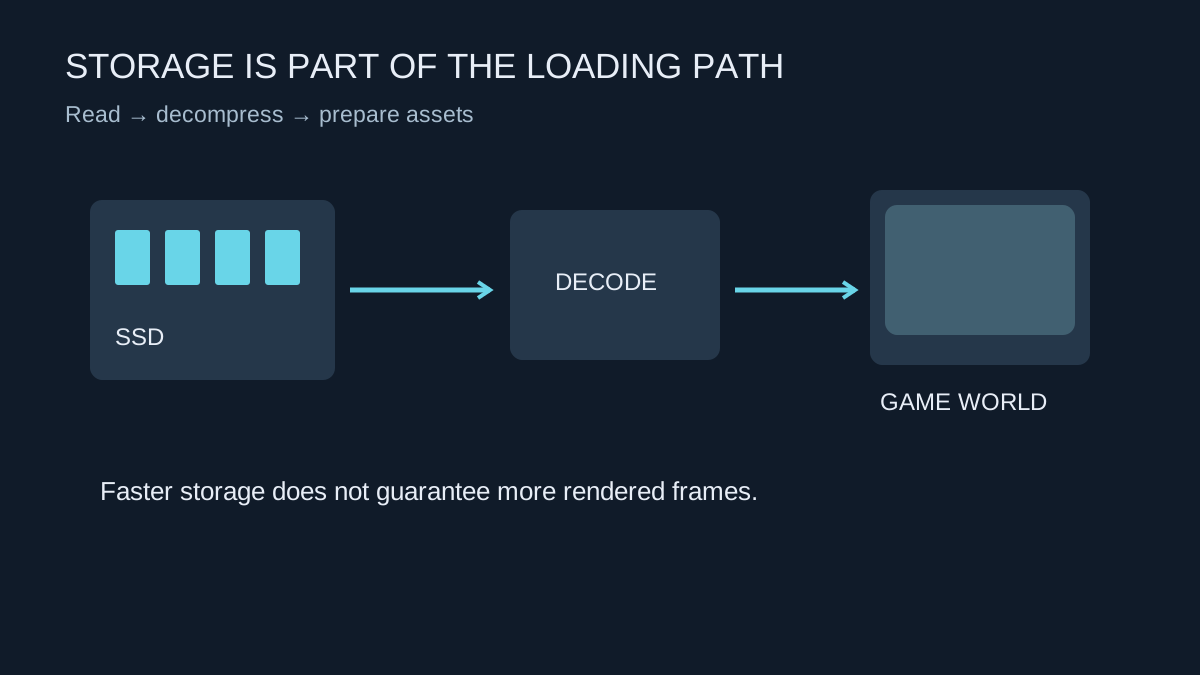
Opening a game, loading a level and reading new assets draw on storage. Rendering the view once those assets are ready draws on other parts of the computer as well. This is why an SSD can make an old machine feel quicker without transforming its frame rate in every game. Ask which delay bothers you before choosing an upgrade.
A mechanical hard drive has moving parts and different access behaviour from flash storage. Moving a frequently played game from a hard drive to a compatible SSD can reduce storage-related waiting. Moving from one already suitable SSD to a faster model may bring a smaller or game-dependent change. A drive's headline sequential read figure is not the same measurement as time from pressing Continue to controlling your character.
The installation has to use the new drive
Installing Windows on an SSD does not automatically move every game there. Check the launcher's library location and use its supported move function where available. Keep the existing installation until the moved copy launches and recognises its saves. Saves may live elsewhere, so transferring the game directory alone is not a backup of progress.
For a new internal drive, check the board's supported interface and available connectors. M.2 describes a physical format used by drives with different interfaces; not every M.2 drive works in every M.2 slot. A SATA SSD and an NVMe SSD need the appropriate connection. The motherboard manual also explains whether using a particular slot changes availability of other ports.
Measure the wait you want to shorten
Choose a repeatable starting point, such as loading the same local save after launching the game. Note whether the game performs shader preparation or network sign-in during the wait. Those steps can obscure a storage comparison. Repeat the test rather than treating one unusually quick launch as a permanent improvement.
Modern storage features such as DirectStorage depend on game implementation as well as hardware and software support. They are not an automatic switch that speeds up every title. When choosing capacity, leave space for the games you actually keep installed and their updates. A slightly slower compatible drive with enough room may solve your problem better than a small premium model that immediately fills up.