Map the keys you actually use
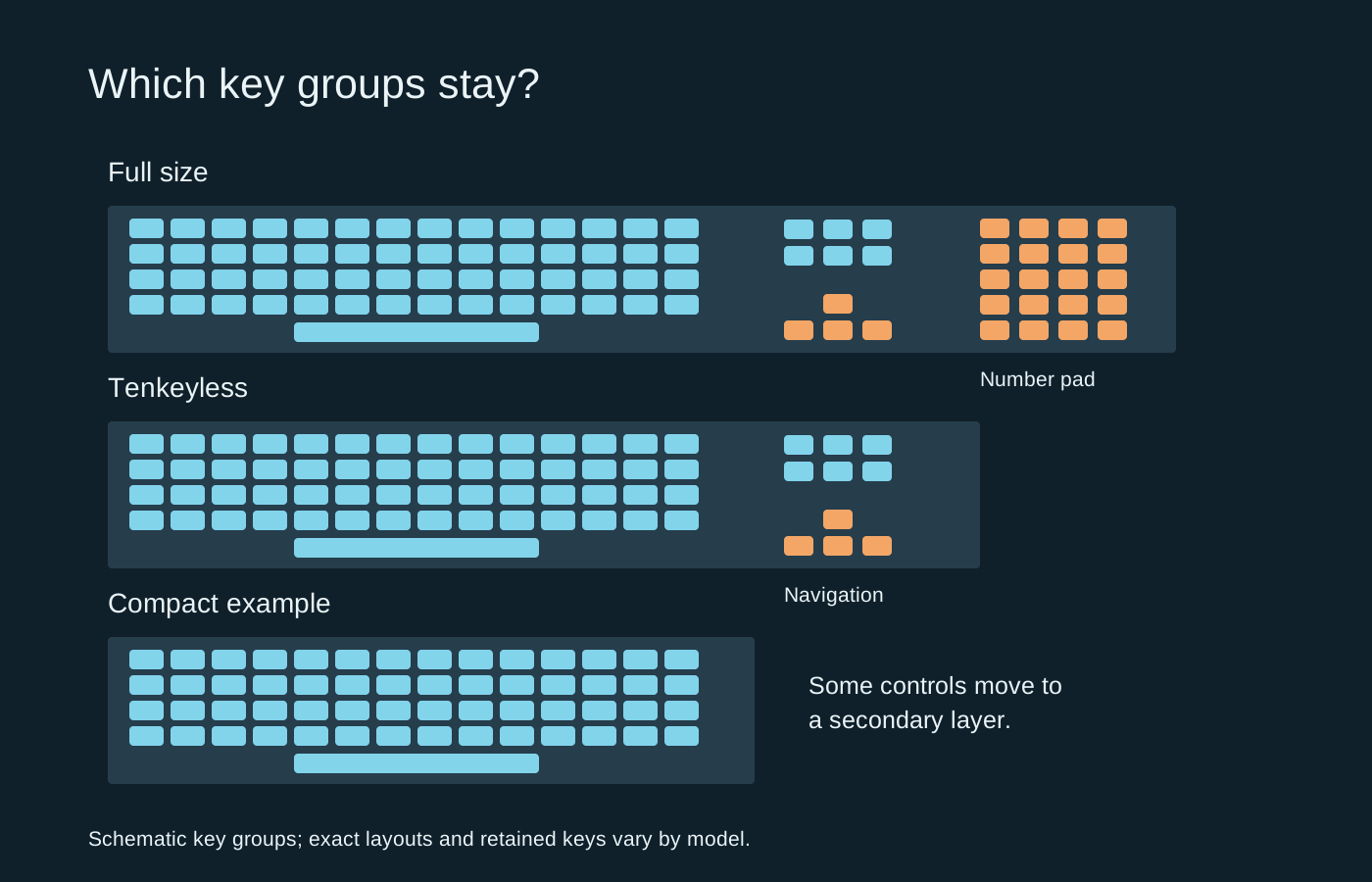
Full-size keyboards usually retain a dedicated number pad, navigation cluster and function row. A tenkeyless model removes the number pad while keeping a familiar main layout. Compact boards remove or compress more groups, sometimes placing useful commands behind a function layer.
Those broad names are only a starting point. A 75 percent layout can place keys much closer together than a tenkeyless board, while two compact boards may put their arrow keys in different places. Inspect the actual layout image, especially the right Shift, Delete, Home and function keys.
Think beyond the game
Write down the shortcuts you use for chat, screenshots, media controls and ordinary work. A missing physical key may still be available through a layer, but pressing a combination during play can be awkward. If you enter numbers frequently, removing the number pad may shift inconvenience from the desk to every spreadsheet.
Conversely, a wide keyboard can push the mouse farther away or reduce room for low-sensitivity swipes. Measure the board’s case width rather than estimating from its key count. Leave space for the cable connector and the mouse’s full movement range, not just its resting position.
Language layout matters separately from size. ANSI and ISO arrangements differ physically, and regional legends affect everyday typing. A compact board with unfamiliar punctuation positions can be frustrating even if its dimensions look ideal. Confirm the exact variant at checkout rather than relying on a generic product photograph.
A small desk example
Suppose your mouse repeatedly reaches the side of the keyboard during a turn. Removing an unused number pad may solve that specific obstruction while preserving the navigation keys you use for work. Moving to a much smaller board may save more room, but could also hide the function keys used for a game’s commands. Measure the extra clearance you need before choosing the smallest available layout.
A separate number pad is another possibility for occasional data entry. Include its storage and connection needs in the decision. It only helps if you can place it somewhere convenient when needed, rather than keeping it beside the keyboard permanently and recreating the same width.
Try the layer before committing
Read the manual’s shortcut map. Check how the board handles function keys, arrows and a recovery or reset command. If software allows remapping, find out whether the changes are stored on the keyboard or require an application running on the computer.
You can approximate the footprint with paper on the desk, but that cannot show how a layer feels. Where possible, try the layout or choose a seller with clear return terms. The useful reduction in size is the one that frees space without hiding a command you repeatedly need. A compact board is not automatically a faster gaming board, and a full-size layout is not automatically wasted space.