Identify where progress belongs
A game installation can be redownloaded, but saved progress needs its own protection. First establish whether the game uses platform cloud saves, a publisher account, local saves or a combination. Do not assume that every title on the same console has identical behaviour.
The account matters. A save made under one household profile may not be available under another, even if both profiles can launch the game. Check the active player before investigating an apparently missing campaign. Keep the old console available while confirming a transfer to a new one.
Check the platform requirements
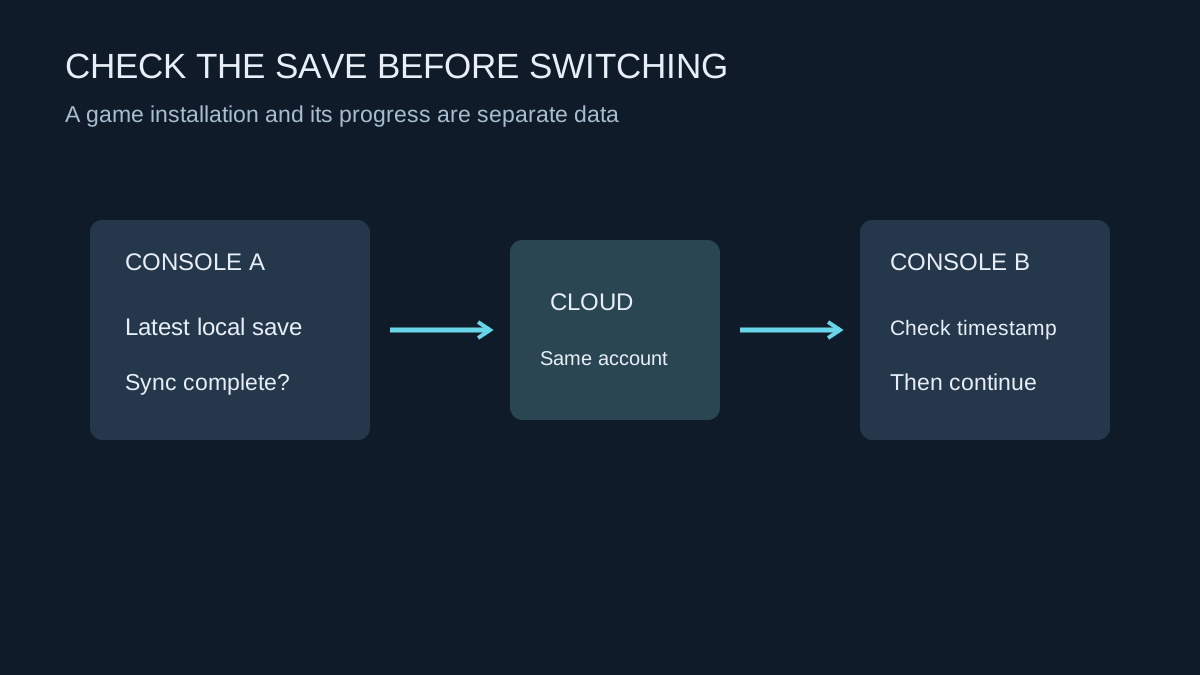
On PS5, PlayStation Plus provides the platform's cloud-storage feature, with synchronisation controls for supported saved data. Review the current subscription and automatic-sync settings rather than assuming a game installation on an external drive also contains a cloud backup.
PS4 and PS5 versions can have different save-handling arrangements, and moving progress between editions may require a game-specific import process. Follow the developer's instructions for that title. A similarly named game in the library is not proof that its save is interchangeable.
Check whether the console is connected and whether the latest session has synchronised. A console shut down immediately after play may not have completed every background task. Use the platform's visible status and supported settings, not merely the fact that the home screen shows an internet connection.
Treat a conflict as a decision
If two versions are offered, compare timestamps, device history and the progress you remember. The newest timestamp is useful evidence, but it does not always identify the progress you want. A later accidental new game or unwanted save can be newer than a valuable earlier session.
Do not repeatedly launch and close the game while unsure which copy should win. That can create more recent writes and make the history harder to understand. Read the platform and game instructions before accepting an overwrite. If the information is insufficient, preserve the existing state and ask support rather than guessing.
Remember that synchronisation aims to keep current data aligned. It is not necessarily a selectable archive of every old save. If a game offers multiple manual slots, using them deliberately can help with gameplay mistakes, but those slots still need the platform's normal protection.
Prove the move before resetting anything
On the destination console, sign into the intended account and obtain the correct game version. Allow the supported save download or synchronisation to finish, then load the actual campaign or character. Opening the title screen is not enough to verify that progress arrived.
Play far enough to confirm the expected inventory, location or unlocked content, then save normally. Check that this new session synchronises as expected. Only after that should you consider removing the old local copy or preparing the old console for another owner through its documented reset process.
Keep recovery information accessible
Cloud storage is of limited help if you cannot recover the account that owns it. Keep the account's email address current and maintain the platform's supported recovery options. Do not store the only recovery information on a console you plan to erase.
Before a subscription lapses or a device is sold, read the current service rules instead of assuming cloud data will remain accessible indefinitely. Save behaviour can change between products and plans. A five-minute check of the actual account, edition and sync state is more useful than discovering the mismatch after the original device has gone.