Begin with actions, not a shopping list
Write down the actions the player wants to perform and which movements are comfortable and repeatable. Consider pressing, holding, releasing and making two inputs together. An action that is possible once may not be manageable repeatedly through a game, and a setup that works in a menu may not cover fast or simultaneous actions.
Include the player in every decision. Do not assume that a larger button, lighter switch or one-handed layout is automatically helpful. The placement, required force and type of movement all matter. If positioning or access needs are complex, an accessibility specialist or occupational therapist may help evaluate options without turning equipment specifications into guesses about the person.
Check the game before adding hardware
Look for remapping, toggle alternatives to holding, adjustable timing and options that reduce repeated presses. A game setting may remove a difficult action without requiring another device. Check whether menus, pause screens and text entry remain accessible with the chosen changes.
Separate essential actions from optional ones. For example, a game may require movement, camera control and interaction at the same time, while a less frequent inventory command could use another reachable input. Mapping the real action demands helps identify where extra switches or assistance would be useful.
Keep a way to pause or stop comfortably. This is easy to overlook when focusing on movement and attacks. The player should not need to undo the whole arrangement merely to reach a menu or take a break.
Treat an adaptive controller as part of a system
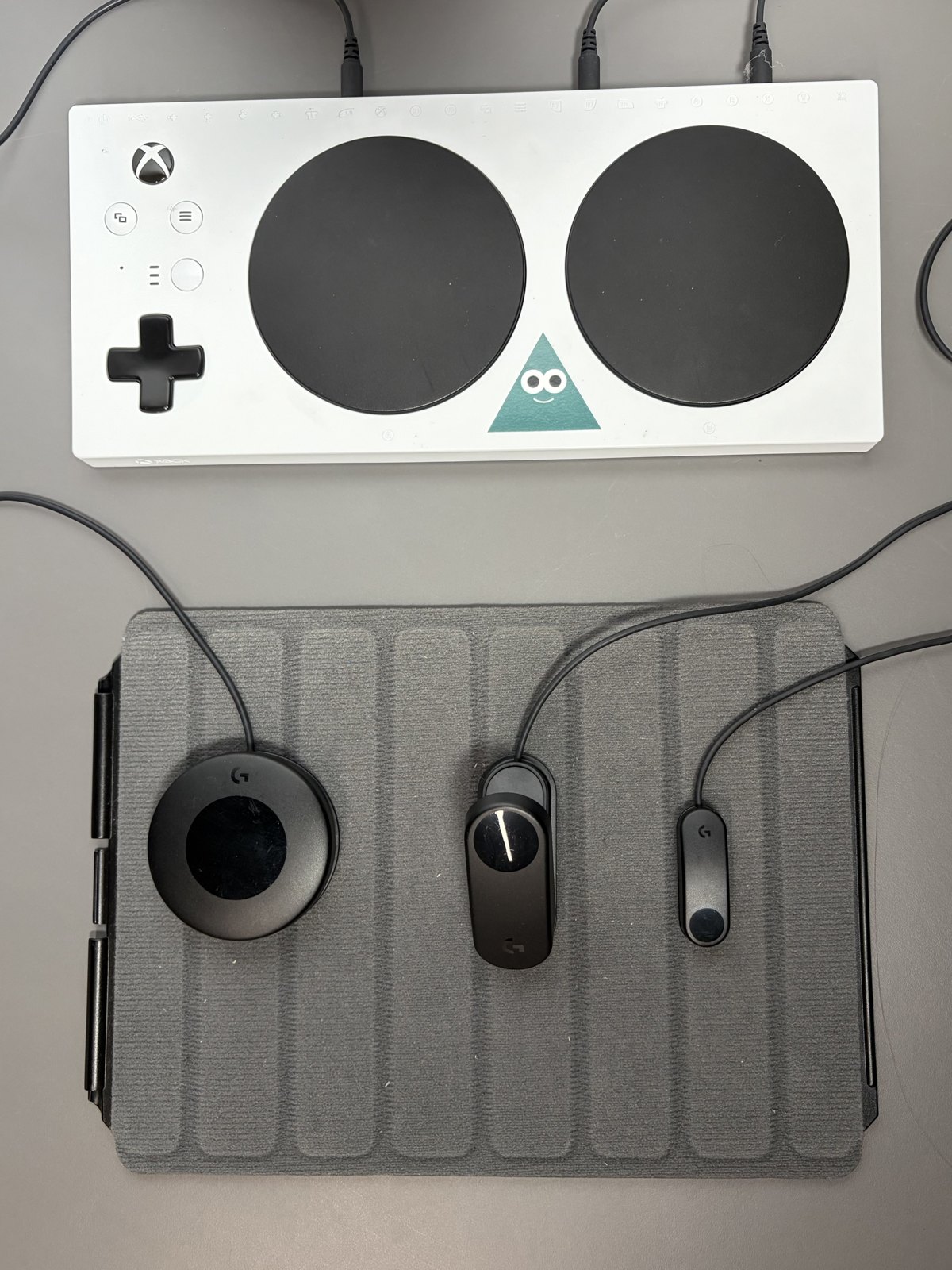
An adaptive hub can connect external buttons, switches and other supported devices. The Xbox Adaptive Controller, for example, supports external inputs and profiles through its associated software. Its presence does not guarantee that any switch with a similar plug will provide the expected action.
Check the port purpose, electrical and input requirements, supported accessories and platform compatibility. A connector’s diameter alone is not a complete specification. Some inputs are simple buttons while others need a range of values or multiple directions. Use the manufacturer’s compatibility guidance before purchasing several accessories.
Budget for the mounting and cable arrangement too. A switch that works electrically can be unusable if it slides away, rotates or requires an uncomfortable reach. Secure positioning should also leave the player and anyone assisting them a clear route to disconnect equipment when needed.
Prototype one action at a time
Start with a small working arrangement and a familiar game. Test a switch in its intended position, then add another input. Observe accidental activation, missed releases and whether holding one control prevents reaching another. These observations are more useful than copying a complete setup made for someone else.
Use clear labels and save profiles with names that identify the game or purpose. Keep a baseline configuration so a mistaken remap can be reversed. If another person helps with setup, write down the connection and placement details rather than relying on memory each session.
Revisit the arrangement as needs change
Comfort, fatigue, games and available movements can change. Leave room to move a switch or replace one part without rebuilding everything. Keep the player’s feedback central, including whether a technically successful arrangement is enjoyable to use.
Document what works: the action, device, mounting position and relevant game setting. Avoid judging success solely by speed or competitive performance. Being able to start, play, communicate and stop with a manageable amount of effort can be the more meaningful outcome.