Decide what the update is meant to change
A graphics-driver update can add game support, address a known fault or change performance. Read the release notes for your graphics model and operating system. An update that fixes the problem you encounter has a clearer purpose than installing an unfamiliar package immediately before a planned multiplayer session.
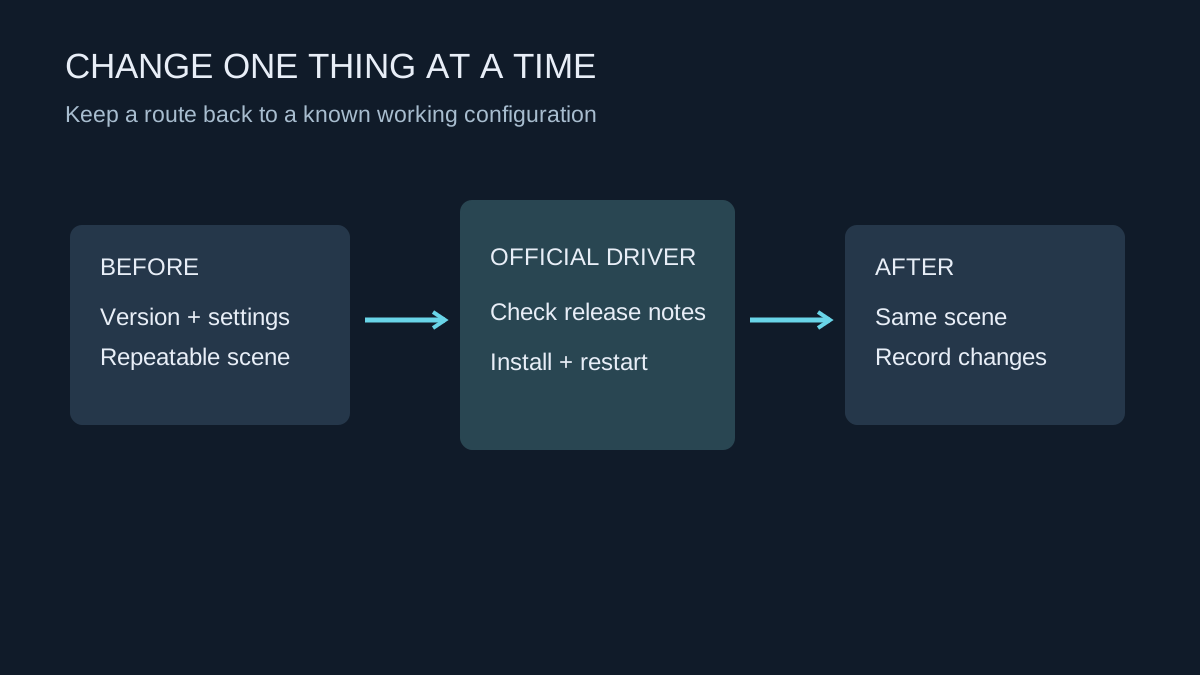
Record your current version and any unusual settings, including frame limits, colour settings and game-specific overrides. If the system is already malfunctioning, write down the symptoms before making changes. This gives you a way to distinguish the original issue from a new one rather than relying on memory after several adjustments.
Use the right download route
Obtain the package from the GPU manufacturer or, where appropriate, the computer manufacturer's support page. A laptop may have platform-specific guidance for its integrated and dedicated graphics. Identify the actual device instead of downloading a driver because a search result mentions a similar product name.
Close games and save work before installation. Follow the installer's instructions and restart if requested. A brief display interruption during the process is different from a lasting failure to return to a usable desktop. Do not interrupt a working installer simply because the screen changes resolution for a moment.
Avoid changing BIOS settings, overclocking values and several unrelated drivers in the same troubleshooting session. If something improves or breaks, a single controlled change gives you a much clearer explanation. A specialised clean-up utility is not a compulsory first step for every normal update; use the vendor's recommended procedure for the situation you actually have.
Test more than the frame-rate counter
Launch a familiar game and repeat a scene you can recognise. Check stability, audio routing, display refresh and any settings that may have reset. A shader cache may need rebuilding after software changes, so one first-run hitch is not enough to establish that the new driver is slower.
If a repeatable new problem appears, consult the release notes and vendor support before stacking more fixes on top. Keep a record of the failing version, the affected game and the exact symptom. Where the vendor supports returning to an earlier driver, use that documented route and test the same scene again. The aim is a stable configuration, not the largest possible version number.